Community listing · freeReviewed 2026-09-28 · basic profile has no expiry

Remote Terminal Indicator

A consistent border color for each SSH session.

github.com

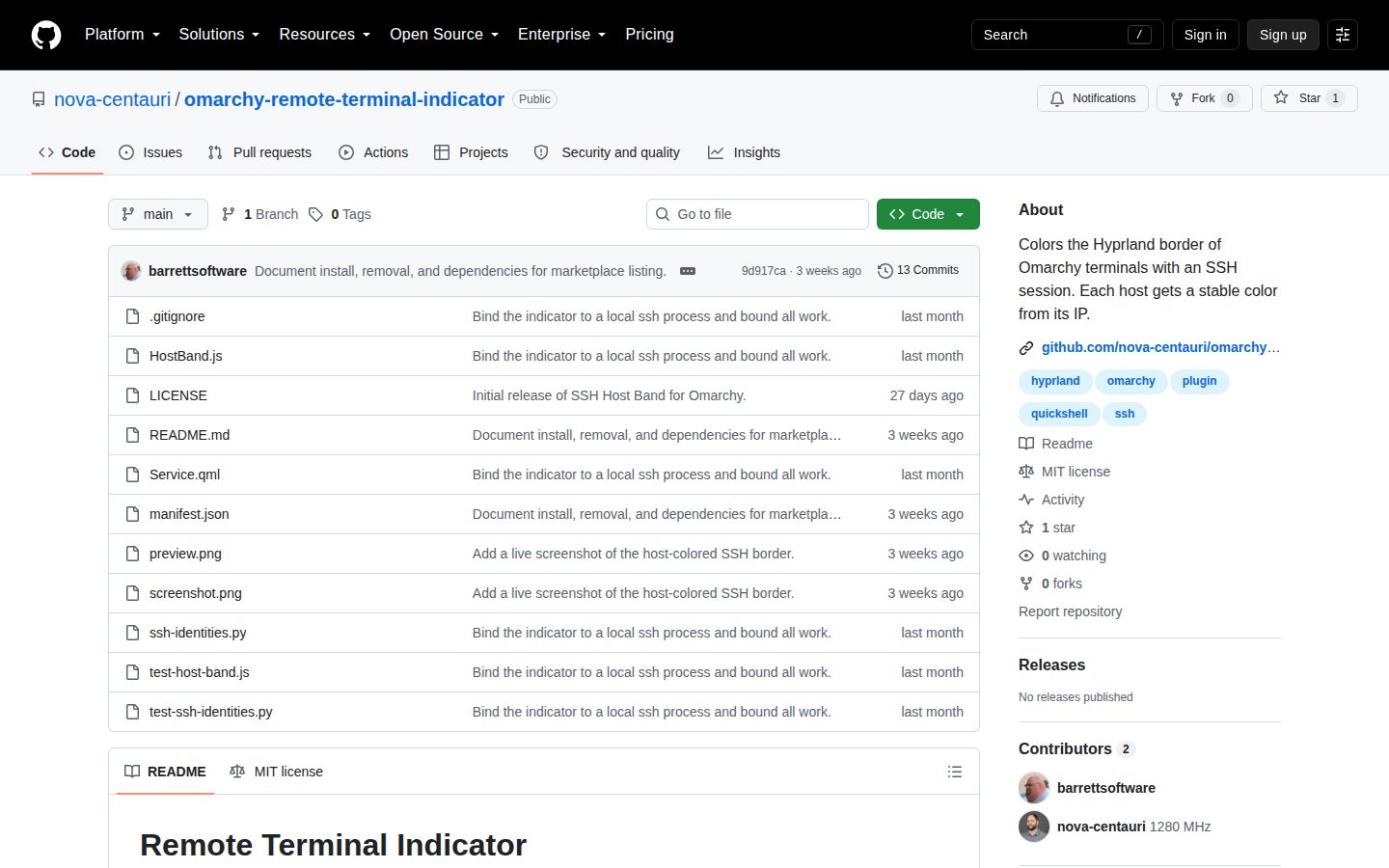
Screenshot of the public Remote Terminal Indicator homepage

Independent capture of the public github.com homepage on September 28, 2026. No account or private page was accessed.

What it does

A consistent border color for each SSH session.

Remote Terminal Indicator is an Omarchy plugin that gives each SSH destination a consistent window-border color, then restores the original border when the session ends.

Primary category
Developer Tools ↗
Project kind
App
Profile status
Community submitted · permanent basic listing
Source reviewed
2026-09-28
OmarchySSHterminal
Source trace

Hype Star reviewed public source facts for this permanent community-submitted basic listing on 2026-09-28. Supporter and commercial status never affect category, search, API, or agent recommendation order.

View official source ↗

Share this profile

Put the listing where your visitors can find it.

This project-specific badge links back to the public profile with referral tags. It says only that the profile is listed—not that Hype Star endorses, certifies, or ranks the project.

View Remote Terminal Indicator on Hype Star
Badge treatment
Open badge destination →
<a class="hypestar-badge hypestar-badge--auto" data-hypestar-theme="auto" href="https://hypestar.org/project/remote-terminal-indicator?utm_source=listed_badge&amp;utm_medium=referral&amp;utm_campaign=hype_star_badge" target="_blank" rel="noopener nofollow">
  <img class="hypestar-badge__image" src="https://hypestar.org/badges/listed-hype-star-auto-v1.svg" alt="View Remote Terminal Indicator on Hype Star" width="140" height="24" loading="lazy" decoding="async">
</a>

Auto follows the parent color-scheme; every badge states only that this public profile is listed, not an award or endorsement.

Community listing

Help keep github.com accurate.

This project was submitted without an account and reviewed before publication. Authorized representatives can request factual corrections or a separate management claim.

Authorized project representatives can request ownership review, factual corrections, or profile removal. Rights holders can request an asset takedown. Email hello@hypestar.org with the profile URL, requested action, and your relationship to the project or work.